Giving an Old Laptop a Second Life as My Home Server

My girlfriend was about to throw out her old college laptop. It was slow, frustrating to use, and she'd long since moved on to something better. But something about tossing a perfectly functional piece of hardware into the dumpster didn't sit right with me. So I grabbed it, figuring I'd find something to do with it.
Best decision I've made in a while.
It Wasn't the Hardware's Fault
This thing was painfully slow on Windows. Like, genuinely unusable slow. Opening a browser felt like a meditation exercise in patience. I assumed the hardware was just ancient and dying.
Then I installed Ubuntu Server on it.
Turns out, this "old slow piece of crap" runs like a dream when you strip away all the Windows bloat. The hardware was never the problem. It was Windows all along. That realization alone made the whole project worth it.
Getting Up and Running with CasaOS
Once Ubuntu Server was humming along, I needed an easy way to manage services. I'm not exactly a Linux wizard (yet), so I wanted something approachable. That's where CasaOS comes in. It's a beautiful, simple interface built on Docker that makes self-hosting accessible to anyone.
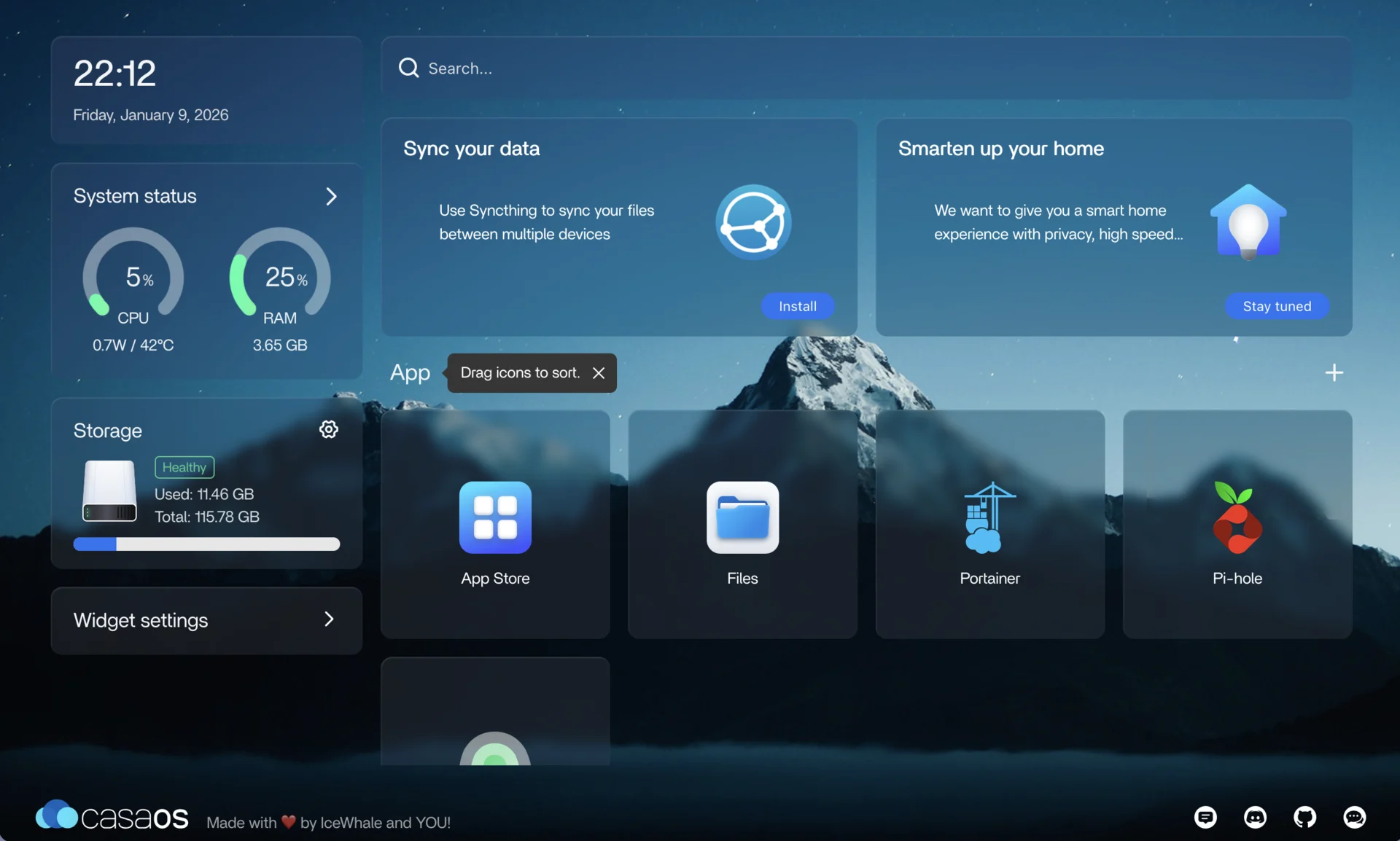
The setup was surprisingly quick. CasaOS gives you a clean dashboard to manage your Docker containers, install apps from their app store, and monitor your system. It's the perfect gateway drug into the world of self-hosting.
Pi-Hole: My First Self-Hosted Service
With my server ready to go, I needed to pick my first service. The choice was obvious: Pi-Hole.
If you're not familiar, Pi-Hole is a network-wide ad blocker that acts as a DNS sinkhole. Instead of blocking ads in your browser, it blocks them at the network level. Every device on your network benefits, even smart TVs and IoT devices that you can't install ad blockers on.
But honestly? Ads were only part of my motivation.
A Healthy Dose of Paranoia
I've been learning more about networking and cybersecurity lately, and the more I learn, the more unsettling it gets. Chatting with colleagues about how apps track your every move, sell your data, and phone home to dozens of analytics services... it made me just a wee bit paranoid.
And you know what? I think that paranoia is justified.
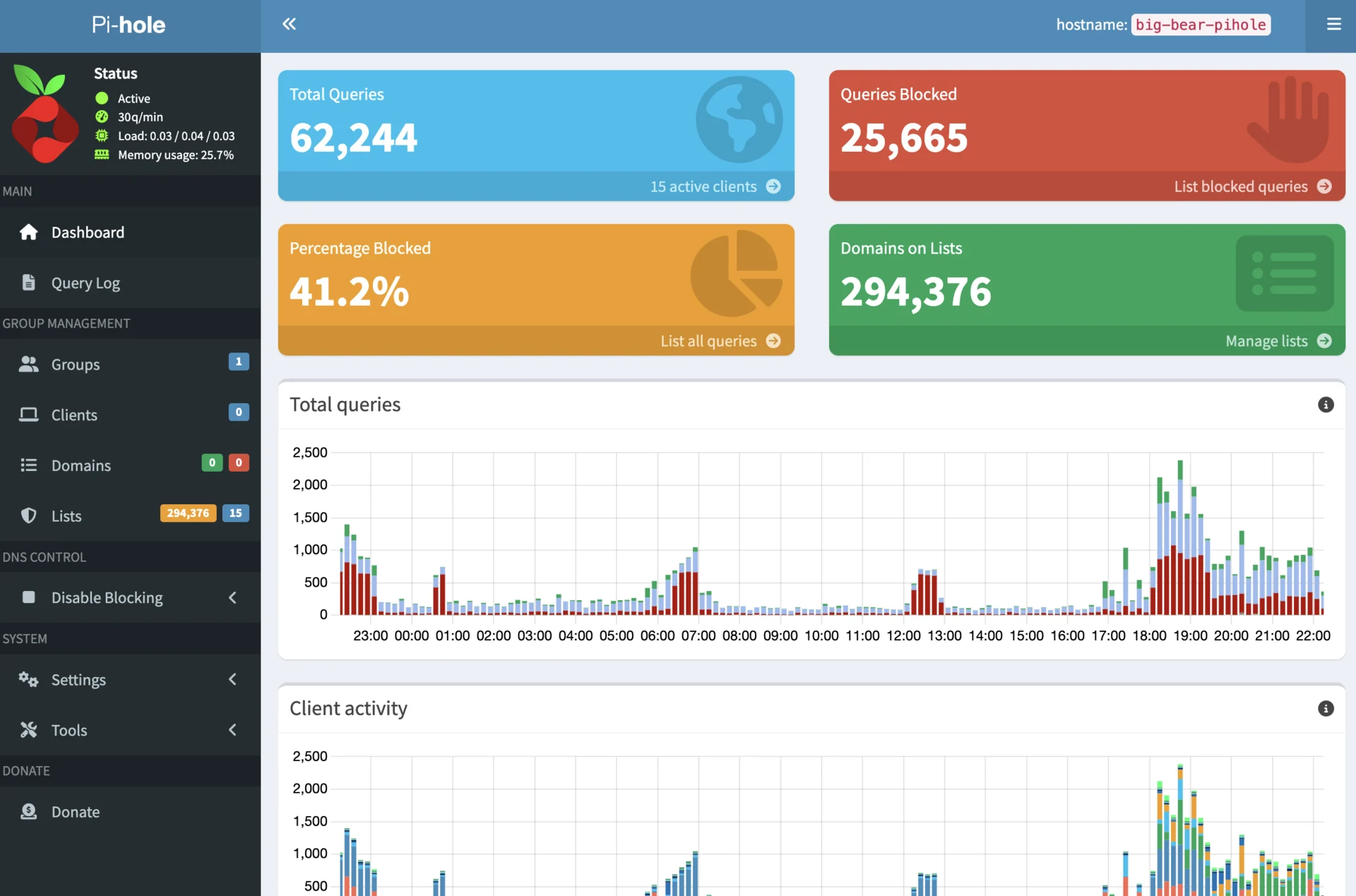
Blocking Nearly 300,000 Domains
After configuring Pi-Hole with a solid set of blocklists, I'm now blocking nearly 300,000 domains on my home network. That's 300,000 potential tracking endpoints, ad servers, and telemetry services that never get to phone home.
The difference is noticeable. Pages load faster. My network is quieter. And I sleep a little better knowing my smart devices aren't constantly chattering with servers I never consented to.
My Blocklists
If you're setting up your own Pi-Hole, here are the blocklists I'm using. Feel free to add them to your setup:
- StevenBlack/hosts - The classic unified hosts file
- AdGuard DNS Popup Hosts
- AdAway Default Blocklist
- Firebog AdGuard DNS
- Firebog Admiral
- anudeepND Adservers
- Firebog Easylist
- Yoyo.org Adservers
- FadeMind UncheckyAds
- hostsVN
What's Next?
This little rescued laptop has become the cornerstone of my home network, and I'm just getting started. There's a whole world of self-hosted services to explore: media servers, password managers, home automation, and more.
But for now, I'm pretty happy knowing that a laptop destined for the landfill is now working harder than ever, protecting my privacy and teaching me more about the technology I use every day.
Sometimes the best projects start with saving something from the trash.